
Licences Windows 11
Les licences Windows 11 activent Windows 11 Home, Pro, Pro for Workstations, Enterprise ou Education. Windows 11 nécessite un PC avec TPM 2.0 et un processeur pris en charge.
- 2
- 3
- 4
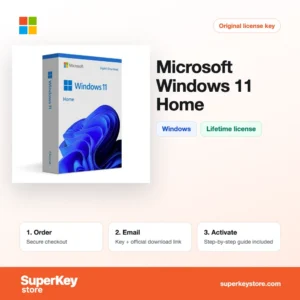
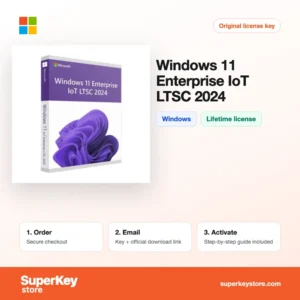
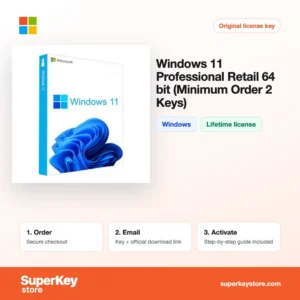
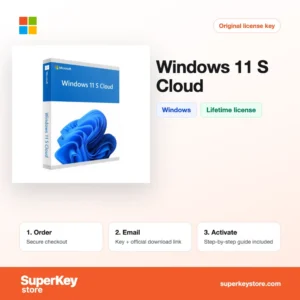
Buy Windows 11 Licenses at SuperKeyStore
This category collects product keys for every Windows 11 edition we stock, from Home for private PCs to Enterprise IoT LTSC for fixed-function devices. It is for people building a new PC, upgrading from an older Windows, activating a fresh installation, or equipping an office or school.
Most home users choose Windows 11 Home, while business users and power users prefer Windows 11 Pro. High-end workstations can run Windows 11 Pro for Workstations. Your product key and a download link reach you by email, usually within minutes.
Why buy a Windows 11 license?
An activated Windows 11 gives you more than removing the watermark:
- Personalisation and full settings: Without activation, wallpaper, colors and other personal settings are locked.
- Security built in: TPM 2.0, Secure Boot, Microsoft Defender and Windows Hello work together to protect your data and sign-in.
- Snap layouts and desktops: Windows 11 arranges windows in grids and supports several virtual desktops for focused work.
- Business tools in Pro: Pro adds BitLocker drive encryption, Remote Desktop host, Hyper-V and joining a company domain.
- Long-term updates: Feature and security updates arrive through Windows Update during the edition's support period.
What are the main features of Windows 11?
Windows 11 brings these main features to every edition, with extra tools in Pro and above:
1. Redesigned Start menu and taskbar
Start is centered and shows pinned apps and recommended files, while the taskbar is simpler. New users find their programs quickly.
2. Snap layouts and virtual desktops
Hovering over the maximize button shows layouts for two to four windows, and separate desktops keep work and personal apps apart. Multitaskers on large screens benefit most.
3. Hardware-based security
TPM 2.0, Secure Boot, virtualization-based security and Windows Hello protect sign-in and data. Every user gets stronger protection against firmware and credential attacks.
4. Gaming technologies
DirectX 12 Ultimate, Auto HDR and DirectStorage improve graphics and loading times on supported hardware. Gamers get better image quality and faster loads.
5. BitLocker, Hyper-V and Remote Desktop in Pro
Pro encrypts drives, runs virtual machines and lets you connect to the PC remotely. Freelancers, IT staff and small businesses need these tools.
6. Copilot and built-in apps
Copilot, Clipchamp, Snipping Tool and the Photos app are included. Home users can edit videos and screenshots without extra software.
Which Windows 11 product is right for you?
Windows 11 Home is enough for most private PCs; choose Pro if you need BitLocker, Remote Desktop or domain join. The N editions are the European versions without preinstalled media apps, and OEM keys are tied to the first PC they activate.
| Produit | Best for | Platform | License type |
|---|---|---|---|
| Windows 11 Home | Home PCs, gaming and study | Windows 11 | One PC |
| Windows 11 Pro | Freelancers and small businesses | Windows 11 | One PC |
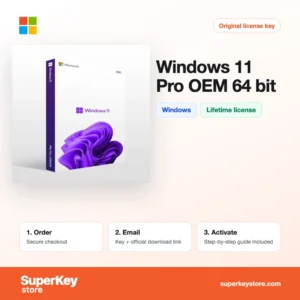
| Windows 11 Pro OEM 64-bit | A newly built PC | Windows 11, 64-bit | OEM, tied to the first PC |
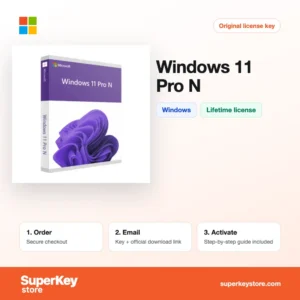
| Windows 11 Pro N | Users in Europe who do not want bundled media apps | Windows 11 | One PC |
| Windows 11 Pro for Workstations | High-end hardware and large memory | Windows 11 | One PC |
| Windows 11 Enterprise IoT LTSC 2024 | Kiosks, terminals and machines with long support needs | Windows 11 | Long-term servicing channel |
What are the system requirements for Windows 11?
Windows 11 runs only on PCs that meet Microsoft's hardware requirements, which are the same for all editions.
| Composant | Minimum |
|---|---|
| Système d’exploitation | Upgrade from Windows 10, or a clean installation |
| Processeur | 1 GHz or faster, 2 or more cores, on Microsoft's list of supported 64-bit processors |
| Mémoire (RAM) | 4 GB |
| Espace disque | 64 GB or larger storage device |
| Other | TPM 2.0, UEFI with Secure Boot, DirectX 12 graphics, internet and a Microsoft account for Home setup |
How do you download and activate Windows 11?
- Choose your Windows 11 edition and complete checkout.
- Receive the product key and a download link by email, usually within minutes; an order under security review can take up to 24 hours.
- Download the Windows 11 Media Creation Tool or ISO from Microsoft's official website, and install or upgrade Windows.
- Go to Settings, System, Activation, choose to change the product key, and enter your key.
What happens to my Windows 11 license if I reinstall or format my computer?
Windows 11 activates again automatically after a reinstall on the same PC. Windows stores a digital license for your hardware on Microsoft's servers, and if you linked it to your Microsoft account it is restored when you sign in. You only need to enter the key again if the automatic activation fails.
Can I move a Windows 11 license to a new PC or Mac?
A retail key can be moved: link it to your Microsoft account, remove Windows from the old PC, and use the Activation troubleshooter or the key on the new PC. OEM keys are tied to the first PC they activate and cannot be transferred. Windows 11 does not run natively on a Mac except in virtual machines such as Parallels on Apple Silicon.
What if my Windows 11 key does not work?
Email our support with your order number and a screenshot of the activation page, including the error code. We will send a replacement key or arrange a refund as set out in the Politique de remboursement.
Frequently asked questions about Windows 11
Can I upgrade from Windows 11 Home to Pro?
Yes. Enter a Windows 11 Pro key under Settings, System, Activation, and Windows upgrades without a reinstall.
Will Windows 11 run on my PC?
Only if it meets the requirements: TPM 2.0, Secure Boot, a supported 64-bit processor, 4 GB of RAM and 64 GB of storage. Microsoft's PC Health Check app tests this for you.
What is the difference between an OEM and a retail key?
An OEM key stays with the first PC it activates. A retail key can be moved to a new PC after you remove it from the old one.
Is there a 32-bit version of Windows 11?
No. Windows 11 exists only as a 64-bit system, so 32-bit processors cannot run it.
Who can use Windows 11 Education and Pro Education?
Windows 11 Education et Windows 11 Pro Education are editions for schools, students and teachers. They include education-focused settings and Pro-level management features.
Can I install Windows 11 on an unsupported PC?
Microsoft does not support it. Workarounds exist, but such PCs may not receive updates, so we recommend a PC that meets the requirements.
What is Windows 11 S Cloud?
It is a restricted mode of Windows 11 that only runs apps from the Microsoft Store. It is common on low-cost education laptops.
What is Windows 11 Enterprise IoT LTSC 2024?
It is a long-term servicing edition for kiosks, medical and industrial devices. It receives security updates for years without feature changes and has no Microsoft Store apps.
What does the 2-pack minimum mean?
Some OEM and retail products are sold only in quantities of two or more keys. Each key still activates one PC.
Does my Windows 11 key work for Windows 10?
Yes, in most cases. Windows 11 keys can activate the matching Windows 10 edition, for example Pro for Pro.
Browse more Windows and Microsoft software
Compare Windows 10 and other versions in Licences Windows, add productivity apps from Licences Microsoft Office, or protect the new system with Licences antivirus.
Que recevez-vous en achetant des licences Windows 11 chez SuperKeyStore ?
Vous recevez un e-mail contenant votre clé de licence, le lien de téléchargement officiel et les instructions d’activation étape par étape. Chaque commande comprend :
- Clé de licence : la clé de produit correspondant à l’édition, à la durée et au nombre d’appareils indiqués sur la fiche produit.
- Téléchargement officiel : un lien vers le programme d’installation sur le site de l’éditeur.
- Guide d’activation : les étapes d’installation et d’activation du logiciel, également présentées dans l’onglet « Téléchargement et activation ».
- Historique des commandes : la clé reste disponible dans votre e-mail de confirmation et dans Mon compte.
- Assistance par e-mail : de l’aide à l’installation ou à l’activation par notre équipe d’assistance.
Pourquoi acheter vos licences logicielles chez SuperKeyStore ?
SuperKeyStore vend des clés de licence numériques livrées par e-mail, avec un paiement sécurisé et des règles claires en cas de clé défectueuse. Voici les principales raisons de commander chez nous :
- Livraison numérique : aucun envoi postal ; la clé arrive généralement par e-mail quelques minutes après le paiement, et certaines commandes font l’objet d’un contrôle de sécurité pouvant durer jusqu’à 24 heures.
- Des informations claires : chaque fiche produit indique l’édition, la plateforme, la durée de licence et le nombre d’appareils.
- Remplacement ou remboursement : si une clé ne fonctionne pas, vous recevez une clé fonctionnelle ou vous êtes remboursé, conformément à la Politique de remboursement.
- Paiement sécurisé : les paiements sont traités par le prestataire de paiement ; SuperKeyStore ne conserve pas vos coordonnées bancaires complètes.
Autres licences logicielles du catalogue SuperKeyStore
SuperKeyStore vend également des licences dans ces catégories :
- Licences Windows: Licences Windows 11 · Licences Windows 10
- Licences Microsoft Office: Licences Office 2024 · Licences Microsoft Office pour Mac · Licences Microsoft Word, Excel et applications Office · Licences Microsoft Project · Licences Microsoft Visio
- Licences Microsoft 365
- Licences antivirus: Licences antivirus Norton · Licences antivirus McAfee · Licences antivirus Kaspersky · Licences antivirus Bitdefender · Licences antivirus ESET · Licences antivirus Avast · Licences antivirus AVG · Licences antivirus Panda · Licences VPN · Licences de sécurité pour entreprises
- Licences Windows Server et CAL: Licences CAL Windows Server et CAL RDS · Licences Microsoft SQL Server · Licences Exchange & SharePoint Server
- Licences de logiciels de CAO et 3D: Licences logicielles Autodesk · Licences Graphisoft Archicad · Licences SolidWORKS
- Licences de logiciels de graphisme et de photo: Licences logicielles Adobe · Licences CorelDRAW
- Licences PDF et outils bureautiques
- Licences de logiciels de sauvegarde et de récupération de données
- Licences de logiciels vidéo et musique
- Licences de logiciels de virtualisation
- Packs Office et Windows