
Licences antivirus Kaspersky
Kaspersky licenses cover Kaspersky Standard, Plus and Premium, the older Internet Security and Total Security editions, Kaspersky VPN Secure Connection and Kaspersky Next for businesses.
- 2
- 3
- 4
Buy Kaspersky Antivirus Licenses at SuperKeyStore
Kaspersky develops security software for homes and companies, with a detection engine that independent test labs have evaluated for many years. Home users choose between three tiers, Standard, Plus and Premium, which replaced the older Anti-Virus, Internet Security and Total Security names. Businesses can protect workstations with the Kaspersky Next line.
On this page you find Kaspersky Standard 2026, Kaspersky Plus 2026 (1 Device, 1 Year) et Kaspersky VPN Secure Connection (5 Devices, 1 Year), among others. The activation code and download link are sent by email, usually within minutes of payment.
Why buy a Kaspersky license?
A paid Kaspersky plan protects more than files on a hard disk:
- Real-time malware defense: Files, downloads and running programs are checked continuously, and suspicious behavior such as mass encryption is rolled back.
- Safe Money for online payments: Banking and shopping sites open in a protected browser that blocks screen capture and keyloggers.
- Performance tools: Standard and higher include an app updater, disk clean-up and a check for outdated programs that attackers often target.
- Privacy features in Plus: Plus adds an unlimited VPN, a password manager and a data leak checker for your email addresses.
- Protection for small teams: Kaspersky Next EDR Foundations gives businesses central management and threat analysis across their endpoints.
What are the main features of Kaspersky?
Kaspersky's home plans build up in layers from Standard to Premium:
1. Real-time anti-malware
The engine checks files, emails and web downloads as they arrive, using signatures, heuristics and cloud reputation data. Everyday users are protected without having to start scans manually.
2. System Watcher and rollback
Kaspersky monitors program behavior and can undo changes made by ransomware. Home users and freelancers get a second line of defense if a new threat slips past the scanner.
3. Safe Money
Banking and payment sites open in a protected browser window. This blocks tools that try to capture passwords or card details while you shop.
4. Unlimited VPN and password manager
Kaspersky Plus and Premium include Kaspersky VPN Secure Connection without traffic limits and Kaspersky Password Manager. These suit people who often use public Wi-Fi and many online accounts.
5. Performance optimization
Tools for finding outdated apps, removing unused files and speeding up start-up are included from Standard upwards. Older computers stay responsive.
6. Business endpoint control
Kaspersky Next EDR Foundations adds a management console, threat root-cause analysis and policies for company devices. Small IT teams can watch all endpoints from one place.
Which Kaspersky product is right for you?
For a single home PC, Kaspersky Standard covers the essentials; choose Plus if you also want a VPN and password manager. Companies with 5 to 9 users should look at the business product instead of home plans.
| Produit | Best for | Users/devices | Durée |
|---|---|---|---|
| Kaspersky Standard 2026 | Core protection for one computer | 1 appareil | 1 year |
| Kaspersky Plus 2026 (1 Device, 1 Year) | Protection plus VPN and passwords | 1 appareil | 1 year |
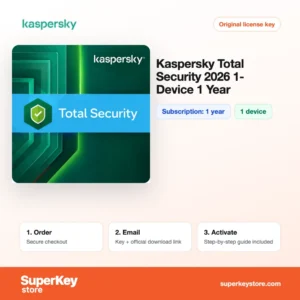
| Kaspersky Total Security 2026 (1 Device, 1 Year) | Users who prefer the classic suite | 1 appareil | 1 year |
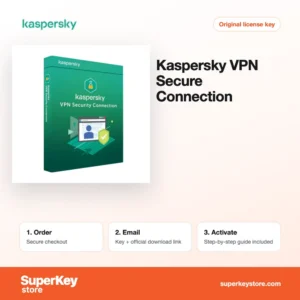
| Kaspersky VPN Secure Connection (5 Devices, 1 Year) | Private browsing on public Wi-Fi | 5 appareils | 1 year |
| Kaspersky Next EDR Foundations (1 year, 5-9 users) | Small businesses | 5–9 users | 1 year |
The stand-alone Kaspersky Internet Security 2026 is also available; its term is shown on the product page.
What are the system requirements for Kaspersky?
Kaspersky's home apps run on current Windows, macOS, Android and iOS devices with modest hardware; check each product's System Requirements tab for the exact versions.
| Composant | Typical minimum |
|---|---|
| Système d’exploitation | Windows 10 or 11; a recent macOS version; a recent Android or iOS version |
| Processeur | 1 GHz or faster processor with SSE2 support on Windows; Apple silicon or Intel on Mac |
| Mémoire (RAM) | 2 GB on 64-bit Windows |
| Espace disque | About 1.5 GB free on Windows |
| Other | Internet connection for activation, database updates and the VPN; a My Kaspersky account |
How do you download and activate Kaspersky?
- Checkout: Add your plan to the cart and pay.
- Email with code: The activation code and download link arrive usually within minutes, or up to 24 hours when a security check is needed.
- Download: Get the installer from Kaspersky's official website or the app store on mobile devices.
- Activate: Sign in to My Kaspersky during setup and enter the activation code to start the subscription.
What happens to my Kaspersky license if I reinstall or format my computer?
The subscription is stored in your My Kaspersky account and continues to run during a reinstall. After the system is reinstalled, download the app, sign in to My Kaspersky and the license is applied again; you can also re-enter the activation code. If the device limit is reached, remove the old device in the account first.
Can I move a Kaspersky license to a new PC or Mac?
Yes, Kaspersky home licenses can move between devices. Remove the old device in My Kaspersky or uninstall the app, then install Kaspersky on the new Windows PC, Mac or phone and sign in. The remaining time of the subscription stays the same after the move.
What if my Kaspersky Antivirus key does not work?
Send us your order number and a screenshot of the activation error by email. We provide a new code or a refund according to the Politique de remboursement.
Frequently asked questions about Kaspersky
What replaced Kaspersky Internet Security and Total Security?
Kaspersky Standard, Plus and Premium replaced them as the main home products. The older names are still sold as keys, and the product page states which app to install.
Can I use Kaspersky on Mac and Android?
Yes, Kaspersky has apps for Windows, macOS, Android and iOS. Your device limit applies across all platforms.
Is the VPN in Kaspersky Plus unlimited?
Yes, Plus and Premium include unlimited VPN traffic. Kaspersky Standard does not include the VPN.
Can I renew an existing Kaspersky subscription with a new code?
Yes, add the new code in My Kaspersky or in the app. The time is added after the current term ends.
Can I use Kaspersky in the United States?
Kaspersky stopped selling and updating its products in the United States in 2024 after a ban by the US government. Customers there should choose another brand from our antivirus range.
Is Kaspersky suitable for businesses?
Home plans are for private use. For company computers use Kaspersky Next, which adds central management for administrators.
Does Kaspersky slow down my computer?
Kaspersky is designed to use few resources during normal work. Full scans take more processor time, so you can schedule them for idle periods.
Can I install Kaspersky next to another antivirus?
No, running two real-time antivirus programs causes conflicts. The Kaspersky installer offers to remove incompatible security software first.
Does Kaspersky Standard include parental controls?
No, Kaspersky Safe Kids is included with Premium. Standard and Plus focus on protection, performance and privacy for the user's own devices.
What happens when my Kaspersky subscription expires?
Protection features and database updates stop, and the app asks you to renew. Enter a new activation code in the app or in My Kaspersky to continue without reinstalling anything.
More security software
Compare Kaspersky with other brands in Licences antivirus, or secure your server room with Licences Windows Server et CAL. A fresh system key is available under Licences Windows.
Que recevez-vous en achetant des licences Kaspersky Antivirus chez SuperKeyStore ?
Vous recevez un e-mail contenant votre clé de licence, le lien de téléchargement officiel et les instructions d’activation étape par étape. Chaque commande comprend :
- Clé de licence : la clé de produit correspondant à l’édition, à la durée et au nombre d’appareils indiqués sur la fiche produit.
- Téléchargement officiel : un lien vers le programme d’installation sur le site de l’éditeur.
- Guide d’activation : les étapes d’installation et d’activation du logiciel, également présentées dans l’onglet « Téléchargement et activation ».
- Historique des commandes : la clé reste disponible dans votre e-mail de confirmation et dans Mon compte.
- Assistance par e-mail : de l’aide à l’installation ou à l’activation par notre équipe d’assistance.
Pourquoi acheter vos licences logicielles chez SuperKeyStore ?
SuperKeyStore vend des clés de licence numériques livrées par e-mail, avec un paiement sécurisé et des règles claires en cas de clé défectueuse. Voici les principales raisons de commander chez nous :
- Livraison numérique : aucun envoi postal ; la clé arrive généralement par e-mail quelques minutes après le paiement, et certaines commandes font l’objet d’un contrôle de sécurité pouvant durer jusqu’à 24 heures.
- Des informations claires : chaque fiche produit indique l’édition, la plateforme, la durée de licence et le nombre d’appareils.
- Remplacement ou remboursement : si une clé ne fonctionne pas, vous recevez une clé fonctionnelle ou vous êtes remboursé, conformément à la Politique de remboursement.
- Paiement sécurisé : les paiements sont traités par le prestataire de paiement ; SuperKeyStore ne conserve pas vos coordonnées bancaires complètes.
Autres licences logicielles du catalogue SuperKeyStore
SuperKeyStore vend également des licences dans ces catégories :
- Licences Windows: Licences Windows 11 · Licences Windows 10
- Licences Microsoft Office: Licences Office 2024 · Licences Microsoft Office pour Mac · Licences Microsoft Word, Excel et applications Office · Licences Microsoft Project · Licences Microsoft Visio
- Licences Microsoft 365
- Licences antivirus: Licences antivirus Norton · Licences antivirus McAfee · Licences antivirus Kaspersky · Licences antivirus Bitdefender · Licences antivirus ESET · Licences antivirus Avast · Licences antivirus AVG · Licences antivirus Panda · Licences VPN · Licences de sécurité pour entreprises
- Licences Windows Server et CAL: Licences CAL Windows Server et CAL RDS · Licences Microsoft SQL Server · Licences Exchange & SharePoint Server
- Licences de logiciels de CAO et 3D: Licences logicielles Autodesk · Licences Graphisoft Archicad · Licences SolidWORKS
- Licences de logiciels de graphisme et de photo: Licences logicielles Adobe · Licences CorelDRAW
- Licences PDF et outils bureautiques
- Licences de logiciels de sauvegarde et de récupération de données
- Licences de logiciels vidéo et musique
- Licences de logiciels de virtualisation
- Packs Office et Windows