
Licences Office 2024
Office 2024 is the newest one-time-purchase version of Microsoft Office. This category holds Home, Home & Business, Standard and Professional Plus for Windows and Mac.
- 2
- 3
- 4
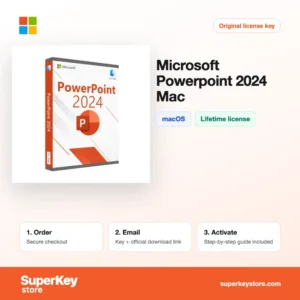
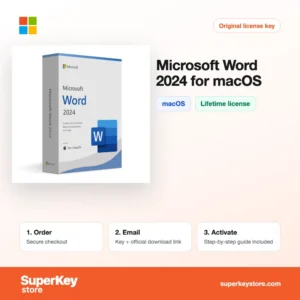
Buy Office 2024 Licenses at SuperKeyStore
Office 2024 was released by Microsoft in October 2024 as the successor to Office 2021. It is the current version for people who want to pay once and keep their Office apps, without a Microsoft 365 subscription. We sell complete suites such as Office 2024 Professional Plus et Office 2024 Home & Business, as well as single apps like Microsoft Excel 2024 for Windows.
Home users, students, freelancers and small offices are the typical buyers. Each order includes a product key and a link to download Office from Microsoft, sent by email and usually within minutes.
Why buy an Office 2024 license?
Office 2024 brings the improvements of recent years into a perpetual license. Key reasons to choose it:
- No subscription: You pay once and use the apps for as long as Microsoft supports the version, with security updates until October 2029.
- New Excel functions: Excel 2024 adds dynamic charts with dynamic arrays and new text functions such as TEXTSPLIT, TEXTBEFORE and IMAGE.
- Improved accessibility and design: The interface follows the current Windows 11 style, and the Accessibility Checker flags issues while you work.
- Better presentations: PowerPoint 2024 can record presentations with cameo video and adds closed captions to inserted videos.
- Works offline: All apps are installed locally and do not need a constant internet connection after activation.
What are the main features of Office 2024?
Office 2024 keeps the familiar apps and adds several improvements over Office 2021:
1. Word with improved accessibility
Word 2024 checks documents for accessibility problems while you type and recovers unsaved work more reliably. Students and offices producing reports benefit from fewer lost changes.
2. Excel with modern functions
Excel 2024 supports dynamic arrays, XLOOKUP, LET, LAMBDA and new text functions such as TEXTSPLIT. Analysts and accountants can replace long nested formulas with short readable ones.
3. PowerPoint recording and captions
PowerPoint 2024 records slide shows with presenter video and supports captions for embedded videos. Teachers and trainers can create self-running lessons.
4. Outlook with better search
Outlook in Home & Business and Professional Plus manages several email accounts and calendars, with quick search across folders. Small business owners keep all mail in one place.
5. Access databases
Office 2024 Professional Plus includes Access for building desktop databases with forms and reports. Companies with existing Access solutions need this edition.
6. Refreshed design
The apps follow the Windows 11 visual style with rounded corners and a cleaner ribbon. The theme can follow the system light or dark mode.
Which Office 2024 product is right for you?
Office Home 2024 suits private use, Home & Business adds Outlook and commercial use rights, and Professional Plus adds Access for Windows. Compare the main editions below.
| Produit | Apps | Platform | Licence |
|---|---|---|---|
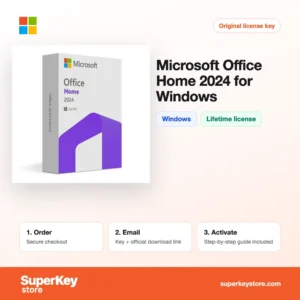
| Microsoft Office Home 2024 for Windows | Word, Excel, PowerPoint, OneNote | Windows | One-time, home use |
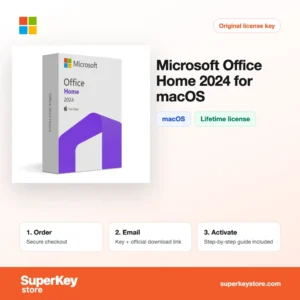
| Microsoft Office Home 2024 for macOS | Word, Excel, PowerPoint, OneNote | macOS | One-time, home use |
| Office Home and Business 2024 for Windows | Home apps plus Outlook | Windows | One-time, commercial use |
| Office 2024 Home & Business | Home apps plus Outlook | Windows and macOS | Licence perpétuelle (achat unique) |
| Office 2024 Standard for Windows | Word, Excel, PowerPoint, Outlook, OneNote | Windows | One-time, volume edition |
| Office 2024 Professional Plus | Standard apps plus Access | Windows | Lifetime, 1 PC |
If you need only one program, buy it on its own: Microsoft Word 2024 for Windows, Microsoft Outlook 2024 for Windows ou Microsoft Access 2024 for Windows.
What are the system requirements for Office 2024?
Office 2024 runs on Windows 10 or Windows 11 and on the three most recent macOS versions; the table shows Microsoft's published Windows minimums.
| Composant | Minimum |
|---|---|
| Système d’exploitation | Windows 10 or Windows 11; the three most recent macOS versions for Mac editions |
| Processeur | 1.1 GHz or faster, 2 cores (Windows); Intel or Apple silicon (Mac) |
| Mémoire (RAM) | 4 GB on Windows and Mac |
| Espace disque | 4 GB on Windows; 10 GB on Mac |
| Other | 1280 x 768 screen; internet connection and Microsoft account for activation |
How do you download and activate Office 2024?
- Order: Choose the edition for your operating system and complete checkout.
- Receive your email: We send the product key and download link by email, usually within minutes. Some orders get a security check of up to 24 hours.
- Download: Redeem the key at Microsoft's official Office setup page and download Office from your Microsoft account, or use the official installer link for volume editions.
- Activate: Open Word or Excel, sign in or enter the key under File, then Account, and Office activates online.
What happens to my Office 2024 license if I reinstall or format my computer?
Retail editions of Office 2024 are bound to the Microsoft account used when you redeemed the key. After a format, sign in at the Microsoft account page, download Office and sign in again; it activates automatically. Volume editions like Standard and Professional Plus are reinstalled with the installer and the same product key.
Can I move a Office 2024 license to a new PC or Mac?
Yes, account-bound Office 2024 can be moved: uninstall it on the old computer, then install it from your Microsoft account on the new one. Each license is for one device at a time. Mac and Windows editions are separate products unless the product name lists both platforms.
What if my Office 2024 key does not work?
Send support your order number and a screenshot of the Office activation message. We issue a new key or a refund on the terms of the Politique de remboursement.
Frequently asked questions about Office 2024
Is Office 2024 a lifetime license?
Yes, Office 2024 is a one-time purchase that does not expire. Microsoft provides security updates until 9 October 2029.
Does Office 2024 include Teams or OneDrive storage?
No, Teams is not included and there is no extra OneDrive storage. These come with Microsoft 365 subscriptions.
Can I install Office 2024 on Mac and Windows?
Most editions are for one platform, as shown in the product name. The Home and Home & Business lifetime editions listed for Mac & Windows can be installed on either system.
Is Office 2024 better than Office 2021?
Office 2024 adds newer Excel functions, a refreshed design and a longer support period. Files are fully compatible between both versions.
Does Office 2024 run on Windows 10?
Yes, Office 2024 installs on Windows 10 and Windows 11. On Mac it needs one of the three latest macOS versions.
Can I share Office 2024 with my family?
No, Office 2024 is licensed for one PC or Mac. Microsoft 365 Family is the option for sharing with up to six people.
Does Office 2024 receive new features?
No, Office 2024 receives security and quality updates only. New features go to Microsoft 365.
What is the difference between Standard and Professional Plus?
Professional Plus adds Access to the Standard apps. Both are volume-style editions for one Windows PC.
Can I use Office 2024 Home for my business?
No, Office Home 2024 is for private, non-commercial use. Choose Home & Business for work.
More Microsoft Office software
Older versions and other apps are in Licences Microsoft Office. For a subscription with cloud storage see Licences Microsoft 365, and for a new PC see Licences Windows.
Que recevez-vous en achetant des licences Office 2024 chez SuperKeyStore ?
Vous recevez un e-mail contenant votre clé de licence, le lien de téléchargement officiel et les instructions d’activation étape par étape. Chaque commande comprend :
- Clé de licence : la clé de produit correspondant à l’édition, à la durée et au nombre d’appareils indiqués sur la fiche produit.
- Téléchargement officiel : un lien vers le programme d’installation sur le site de l’éditeur.
- Guide d’activation : les étapes d’installation et d’activation du logiciel, également présentées dans l’onglet « Téléchargement et activation ».
- Historique des commandes : la clé reste disponible dans votre e-mail de confirmation et dans Mon compte.
- Assistance par e-mail : de l’aide à l’installation ou à l’activation par notre équipe d’assistance.
Pourquoi acheter vos licences logicielles chez SuperKeyStore ?
SuperKeyStore vend des clés de licence numériques livrées par e-mail, avec un paiement sécurisé et des règles claires en cas de clé défectueuse. Voici les principales raisons de commander chez nous :
- Livraison numérique : aucun envoi postal ; la clé arrive généralement par e-mail quelques minutes après le paiement, et certaines commandes font l’objet d’un contrôle de sécurité pouvant durer jusqu’à 24 heures.
- Des informations claires : chaque fiche produit indique l’édition, la plateforme, la durée de licence et le nombre d’appareils.
- Remplacement ou remboursement : si une clé ne fonctionne pas, vous recevez une clé fonctionnelle ou vous êtes remboursé, conformément à la Politique de remboursement.
- Paiement sécurisé : les paiements sont traités par le prestataire de paiement ; SuperKeyStore ne conserve pas vos coordonnées bancaires complètes.
Autres licences logicielles du catalogue SuperKeyStore
SuperKeyStore vend également des licences dans ces catégories :
- Licences Windows: Licences Windows 11 · Licences Windows 10
- Licences Microsoft Office: Licences Office 2024 · Licences Office 2021 · Licences Office 2019 · Licences Office 2016 · Licences Microsoft Office pour Mac · Licences Microsoft Word, Excel et applications Office · Licences Microsoft Project · Licences Microsoft Visio
- Licences Microsoft 365
- Licences antivirus: Licences antivirus Norton · Licences antivirus McAfee · Licences antivirus Kaspersky · Licences antivirus Bitdefender · Licences antivirus ESET · Licences antivirus Avast · Licences antivirus AVG · Licences antivirus Panda · Licences VPN · Licences de sécurité pour entreprises
- Licences Windows Server et CAL: Licences CAL Windows Server et CAL RDS · Licences Microsoft SQL Server · Licences Exchange & SharePoint Server
- Licences de logiciels de CAO et 3D: Licences logicielles Autodesk · Licences Graphisoft Archicad · Licences SolidWORKS
- Licences de logiciels de graphisme et de photo: Licences logicielles Adobe · Licences CorelDRAW
- Licences PDF et outils bureautiques
- Licences de logiciels de sauvegarde et de récupération de données
- Licences de logiciels vidéo et musique
- Licences de logiciels de virtualisation
- Packs Office et Windows