
Licences CAL Windows Server et CAL RDS
A client access license (CAL) gives one user or one device the right to use a Windows Server. RDS CALs are needed for Remote Desktop Services sessions.
- 2
- 3
- 4
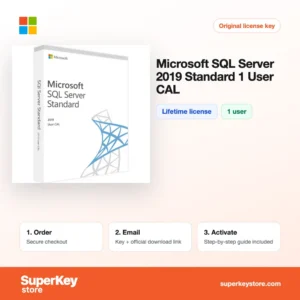
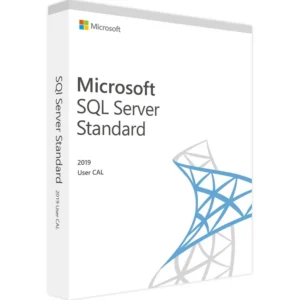
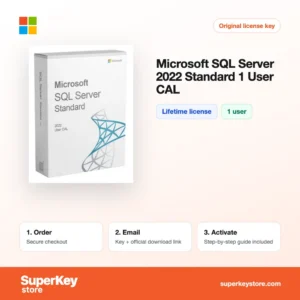
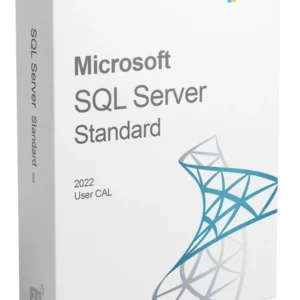
Buy Windows Server CAL & RDS CAL Licenses at SuperKeyStore
A server license alone does not cover the people who connect to it. Microsoft licenses access separately through client access licenses, and this category holds the CALs for Windows Server, Remote Desktop Services, SQL Server, Exchange Server and SharePoint Server. Typical items are Windows Server 2025 User CAL, Windows Server 2025 RDS User CAL (1 user) et SQL Server 2022 Standard User CAL.
The licenses are aimed at IT administrators, system houses and businesses running their own servers. You receive the license keys or license documentation and the matching Microsoft activation instructions by email, usually within minutes.
Why buy a server CAL license?
CALs are part of correct Microsoft server licensing. Buying them gives you:
- License compliance: Every user or device that accesses Windows Server Standard or Datacenter needs a CAL, so you are covered during a Microsoft audit.
- Remote desktop access: RDS CALs allow users to work in remote desktop sessions or with RemoteApp programs on a terminal server.
- Database and mail access: SQL Server, Exchange and SharePoint CALs license each user who connects to those server products in the Server + CAL model.
- Flexible counting: User CALs cover one person on any number of devices; Device CALs cover one device used by any number of people, such as a shared shop-floor PC.
- Suite savings: The Core CAL Suite and Enterprise CAL Suite bundle the CALs for Windows Server, Exchange, SharePoint and management tools in one license per user.
What are the main features of server CALs?
Server CALs are licenses rather than programs, but each type covers specific rights:
1. Windows Server User CAL
Covers one named person accessing any Windows Server of the same or older version from any number of devices. This suits office staff who use a PC, a laptop and a phone.
2. Windows Server Device CAL
Covers one device used by any number of people. Warehouses, hospitals and shift work with shared terminals often save money with device CALs.
3. RDS User CAL
Adds the right to run remote desktop sessions or RemoteApp programs on a Remote Desktop Session Host. Companies that publish ERP or accounting software to remote staff need one per user.
4. SQL Server CAL
Licenses a user for SQL Server Standard in the Server + CAL model. Small companies with few database users often pay less this way than with per-core licensing.
5. Exchange and SharePoint CALs
Standard CALs grant basic mailbox or intranet access; Enterprise CALs add archiving and compliance features on top of Standard.
6. CAL Suites
The Core CAL Suite and Enterprise CAL Suite combine several CALs per user. Organizations running Windows Server, Exchange and SharePoint together simplify counting.
Which server CAL product is right for you?
Buy one Windows Server CAL per user or device, plus an RDS CAL for each remote desktop user and product-specific CALs for SQL Server, Exchange or SharePoint. The CAL version must be equal to or newer than the server version.
| Produit | Licenses access to | Counted per |
|---|---|---|
| Windows Server 2025 User CAL | Windows Server 2025 and older | User |
| Windows Server 2022 Device CAL | Windows Server 2022 and older | Device |
| Windows Server 2022 RDS User CAL (1 User) | Remote Desktop Services on Windows Server 2022 | User |
| SQL Server 2025 Standard 1 User CAL | SQL Server 2025 Standard in the Server + CAL model | User |
| Exchange Server SE Standard User CAL | Mailboxes on Exchange Server Subscription Edition | User |
| Microsoft Core CAL Suite User 2022 | Windows Server, Exchange, SharePoint and System Center basics | User |
Older environments are served by Windows Server 2019 Device CAL, Windows Server 2019 RDS User CAL et Exchange Server 2019 Standard User CAL.
What are the system requirements for server CALs?
CALs have no hardware requirements of their own; they need a Windows Server of the same or an older version than the CAL.
| Composant | Minimum |
|---|---|
| Système d’exploitation | Windows Server of the same or an older version than the CAL |
| Processeur | No separate requirement; follows the server |
| Mémoire (RAM) | No separate requirement; follows the server |
| Espace disque | None; CALs are license rights |
| Other | RD Licensing role and internet or phone activation for RDS CALs |
How do you download and activate server CALs?
- Order: Count your users or devices and order the matching CAL type and version.
- Receive your email: We send the license keys and instructions by email, usually within minutes. In some cases a security check delays the email by up to 24 hours.
- Install the role: No separate download is needed for most CALs. For RDS, install the Remote Desktop Licensing role from Server Manager on your Windows Server.
- Activate: Open the RD Licensing Manager, activate the license server and install the RDS CALs with the key. Keep the documentation for other CALs as proof of license.
What happens to my server CALs license if I reinstall or format my computer?
Most CALs are not installed; they are proof of license, so a server rebuild does not affect them. RDS CALs are installed on the RD Licensing server: after a rebuild you activate the license server again and reinstall the CALs, and Microsoft's clearinghouse may require phone activation if the key was used before.
Can I move a server CALs license to a new PC or Mac?
CALs move with your organization, not with one computer. User CALs follow the person to a new PC, and device CALs can be reassigned when a device is retired. RDS CALs are migrated to a new license server through the RD Licensing Manager; Mac users connecting by Remote Desktop need CALs like Windows users.
What if my Windows Server CAL & RDS CAL key does not work?
Send our support team your order number and a screenshot of the RD Licensing Manager or error message. We provide a replacement or refund as set out in the Politique de remboursement.
Frequently asked questions about server CALs
Should I buy user CALs or device CALs?
Buy user CALs when staff use several devices each, such as a laptop and a phone. Buy device CALs when several shift workers share one PC.
Do I need CALs for Windows Server Essentials?
No, Essentials editions include access for up to 25 users and 50 devices. CALs are needed for Standard and Datacenter editions.
Are RDS CALs a replacement for Windows Server CALs?
No, RDS CALs are additional. A remote desktop user needs both a Windows Server CAL and an RDS CAL.
Can I use 2025 CALs with Windows Server 2022?
Yes, newer CALs cover older server versions. Older CALs cannot be used to access a newer server.
How many CALs come with one product?
Each product listed here covers one user or one device unless the name states otherwise. Order the quantity you need.
Do administrators need CALs?
Up to two users may access the server for administration only without CALs. Normal users always need them.
Do external users need CALs?
Users who are not employees, such as customers on a website, are covered by the External Connector license or need CALs. Anonymous web access does not need CALs.
Are Microsoft 365 users covered by server CALs?
No, cloud subscriptions and on-premises CALs are separate. Hybrid setups may need both.
Can I mix user and device CALs?
Yes, you can combine both types on the same server. Count each person or device only once.
More server licenses
The server operating system itself is in Licences Windows Server et CAL. For client PCs see Licences Windows et Licences Microsoft Office.
Que recevez-vous en achetant des licences CAL Windows Server et CAL RDS chez SuperKeyStore ?
Vous recevez un e-mail contenant votre clé de licence, le lien de téléchargement officiel et les instructions d’activation étape par étape. Chaque commande comprend :
- Clé de licence : la clé de produit correspondant à l’édition, à la durée et au nombre d’appareils indiqués sur la fiche produit.
- Téléchargement officiel : un lien vers le programme d’installation sur le site de l’éditeur.
- Guide d’activation : les étapes d’installation et d’activation du logiciel, également présentées dans l’onglet « Téléchargement et activation ».
- Historique des commandes : la clé reste disponible dans votre e-mail de confirmation et dans Mon compte.
- Assistance par e-mail : de l’aide à l’installation ou à l’activation par notre équipe d’assistance.
Pourquoi acheter vos licences logicielles chez SuperKeyStore ?
SuperKeyStore vend des clés de licence numériques livrées par e-mail, avec un paiement sécurisé et des règles claires en cas de clé défectueuse. Voici les principales raisons de commander chez nous :
- Livraison numérique : aucun envoi postal ; la clé arrive généralement par e-mail quelques minutes après le paiement, et certaines commandes font l’objet d’un contrôle de sécurité pouvant durer jusqu’à 24 heures.
- Des informations claires : chaque fiche produit indique l’édition, la plateforme, la durée de licence et le nombre d’appareils.
- Remplacement ou remboursement : si une clé ne fonctionne pas, vous recevez une clé fonctionnelle ou vous êtes remboursé, conformément à la Politique de remboursement.
- Paiement sécurisé : les paiements sont traités par le prestataire de paiement ; SuperKeyStore ne conserve pas vos coordonnées bancaires complètes.
Autres licences logicielles du catalogue SuperKeyStore
SuperKeyStore vend également des licences dans ces catégories :
- Licences Windows: Licences Windows 11 · Licences Windows 10
- Licences Microsoft Office: Licences Office 2024 · Licences Microsoft Office pour Mac · Licences Microsoft Word, Excel et applications Office · Licences Microsoft Project · Licences Microsoft Visio
- Licences Microsoft 365
- Licences antivirus: Licences antivirus Norton · Licences antivirus McAfee · Licences antivirus Kaspersky · Licences antivirus Bitdefender · Licences antivirus ESET · Licences antivirus Avast · Licences antivirus AVG · Licences antivirus Panda · Licences VPN · Licences de sécurité pour entreprises
- Licences Windows Server et CAL: Licences CAL Windows Server et CAL RDS · Licences Microsoft SQL Server · Licences Exchange & SharePoint Server
- Licences de logiciels de CAO et 3D: Licences logicielles Autodesk · Licences Graphisoft Archicad · Licences SolidWORKS
- Licences de logiciels de graphisme et de photo: Licences logicielles Adobe · Licences CorelDRAW
- Licences PDF et outils bureautiques
- Licences de logiciels de sauvegarde et de récupération de données
- Licences de logiciels vidéo et musique
- Licences de logiciels de virtualisation
- Packs Office et Windows