
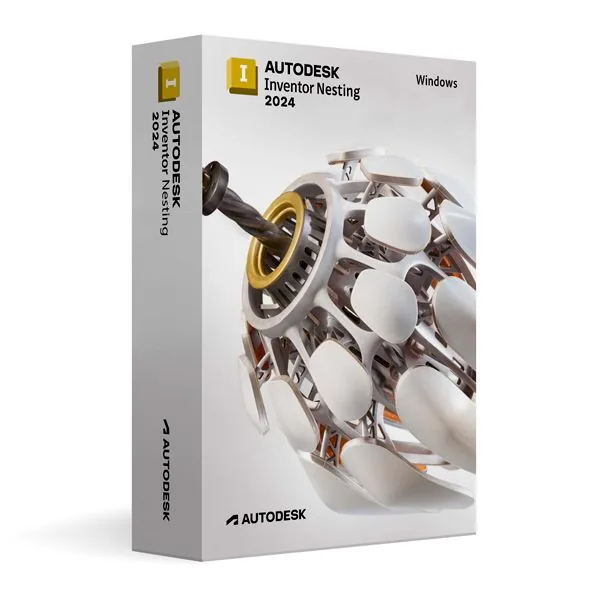
Autodesk Inventor Nesting 2024 for Windows (Education)
66,98 €
Inventor Nesting 2024 (Education)
En stock
Livraison par e-mail, généralement quelques minutes après le paiement
Fonctionnalités principales
Buy Autodesk Inventor Nesting 2024 for Windows (Education) License Key on SuperKeyStore: original product key, free technical support and a replacement-or-refund guarantee for faulty keys. 2024 nesting tool for Inventor: optimized sheet layouts, grain and orientation rules, direct import of design data and output for cutting machines. Delivered by email, usually within minutes of payment.
Buy Autodesk Inventor Nesting 2024 for Windows (Education)
You get an Autodesk Inventor Nesting 2024 for Windows (Education) license key, the download link and activation steps by email. Autodesk Inventor Nesting 2024 for Windows (Education) is an educational license of the 2024 release of Autodesk’s nesting software for Windows, which places cut parts on sheet material to save material and machining time. No box or DVD is shipped.
| Détail | Valeur |
|---|---|
| Produit | Autodesk Inventor Nesting 2024 for Windows (Education) |
| Éditeur | Autodesk |
| Catégorie | Inventor |
| Platform | Windows |
| Livraison | License key and download link by email |
What is Autodesk Inventor Nesting 2024?
Inventor Nesting 2024 is an Inventor add-on that creates material-efficient cutting layouts for flat parts. It runs on Windows. This edition is licensed for personal and non-commercial use under an educational license. It has the same functions as the commercial version and produces output without watermarks.
What are the main features of Inventor Nesting 2024?
The 2024 release combines nesting algorithms with direct access to Inventor design data. Its main functions are:
- Direct Inventor import: uses 3D design data without manual conversion.
- Nesting algorithms: consider sheet size, part orientation and material grain.
- Material savings: reduce offcuts and the time needed for cutting.
- Machine output: exports formats for CNC machines and other cutting equipment.
- Model integrity: keeps the link between the layout and the original CAD model.
What is the difference between Inventor Nesting 2024 and newer versions?
The versions share the same purpose; newer releases add improvements and match newer Inventor versions. The Nesting release should match the installed Inventor release. Users of Inventor 2024 need Nesting 2024. Users on a newer Inventor can choose Autodesk Inventor Nesting 2025 for Windows.
| Nesting release | Matching Inventor release |
|---|---|
| Nesting 2024 | Inventor 2024 |
| Nesting 2025 | Inventor 2025 |
| Nesting 2026 | Inventor 2026 |
Who should use Inventor Nesting 2024?
It is for students, educators and hobbyists who learn manufacturing with flat materials. Typical fields are sheet metal fabrication and woodworking. Beginners can work with the default settings. Experienced users can control each nesting parameter. More products are listed in the Inventor category.
Why buy Autodesk Inventor Nesting 2024 for Windows (Education) from SuperKeyStore?
Buying Autodesk Inventor Nesting 2024 for Windows (Education) at SuperKeyStore includes:
- Original license: an original Autodesk Inventor Nesting 2024 for Windows (Education) license key, activated through Autodesk’s official activation.
- Education license: for students and teachers, for personal and non-commercial use.
- Platform: Windows.
- Email delivery: the license key and the official download link arrive by email, usually within minutes of payment (some orders get a security check of up to 24 hours).
- Free technical support: our team helps by email with installation and activation ([email protected]).
- Remplacement ou remboursement : if the key does not work, you get a working key or your money back, as set out in our Politique de remboursement.
How do you redeem your Autodesk Inventor Nesting 2024 for Windows (Education) key?
You redeem the key in a few steps after the order email arrives. The redemption guide for Autodesk Inventor Nesting 2024 for Windows (Education) is:
- Open your order email: it contains your license details and the instructions for your Autodesk account.
- Sign in to (or create) your free Autodesk account at accounts.autodesk.com as described in the email.
- Download Inventor Nesting from your Autodesk account (Products and Services) or with the official link in your email.
- Run the installer, then start Inventor Nesting and sign in with the same Autodesk account to activate it.
Your key also stays in your order email and under Mon compte.
Configuration requise
| Système d’exploitation | Windows 11 or Windows 10 (64-bit) |
|---|---|
| Processeur | 2.5 GHz or faster (3+ GHz recommended) |
| Memory RAM | 16 GB (32 GB recommended) |
| Espace disque | 40 GB |
| Graphics | 4 GB GPU with DirectX 11 (8 GB recommended) |
| Écran | 1920 x 1080 |
| Internet | Required for download and activation |
Téléchargement et activation
Download Autodesk Inventor Nesting 2024 for Windows with SuperKeyStore
Buying Autodesk Inventor Nesting 2024 for Windows takes a minute: add it to your cart, pay through our secure, encrypted checkout and you receive your product key and the official download link by email, usually within minutes. Everything you need is in your order email, together with these instructions.
How to install and activate Autodesk Inventor Nesting 2024 for Windows
- Open your order email: it contains your license details and the instructions for your Autodesk account.
- Sign in to (or create) your free Autodesk account at accounts.autodesk.com as described in the email.
- Download Inventor Nesting from your Autodesk account (Products and Services) or with the official link in your email.
- Run the installer, then start Inventor Nesting and sign in with the same Autodesk account to activate it.
Stuck at any step? Email [email protected] with your order number and a screenshot. Our support is free, and if a key does not work we send a replacement or refund you, as set out in our Politique de remboursement.
Why choose Autodesk Inventor Nesting 2024 for Windows
Inventor Nesting is a 3D mechanical design software for mechanical engineers, product designers, manufacturers and students. Highlights: Optimize the layout of sheet parts to reduce material waste; Export nested layouts for cutting machines; Parametric, direct and freeform 3D modeling.
More software at SuperKeyStore
Popular with this product: Windows 11 Pro, Office 2024 Professional Plus, Microsoft 365 Personal. Browse all Microsoft Office, antivirus software, money-saving bundles et Microsoft apps.
Livraison numérique
All our products are delivered digitally by email: no shipping costs, no waiting for a parcel and no packaging waste. Your key is stored in your order email and, if you created one, in your account, so you can find it again at any time.
FAQ
What is an educational license?
It is a license for personal, non-commercial use such as learning, teaching and personal projects. Inventor Nesting has the full functionality of the commercial version and the output is identical, without watermarks.
Can I use it for commercial work?
No. The educational license may not be used for paid or commercial projects. Contact us if you need a commercial license.
Which operating system does it run on?
This edition runs on Windows. It does not run on macOS; choose the matching edition for another system.
On how many computers can I use it?
The license is for 1 user. Contact us before buying if you need licenses for several people.
Where do I download the software?
From the official Autodesk website or the official link in your order email. The Download & Activation tab explains every step.
Do I need an internet connection?
Yes, to download and activate the software and to sign in regularly.
Sous quel délai vais-je recevoir ma clé ?
By email, usually within minutes of payment. Some orders go through a short security check that can take up to 24 hours. Please check your spam folder too.
Que faire si ma clé ne fonctionne pas ?
Email us your order number and a screenshot of the error. We send a replacement or refund you, as described in our Politique de remboursement.
D’autres questions ? Consultez notre FAQ, Politique de remboursement ou contactez-nous.
- Assistance gratuitePar e-mail
- Livraison rapideGénéralement en quelques minutes
- Paiements sécurisésPaiement chiffré
- Licences numériquesActivation officielle
- Clé défectueuse ?Remplacement ou remboursement
Avis
Il n’y a pas encore d’avis.