
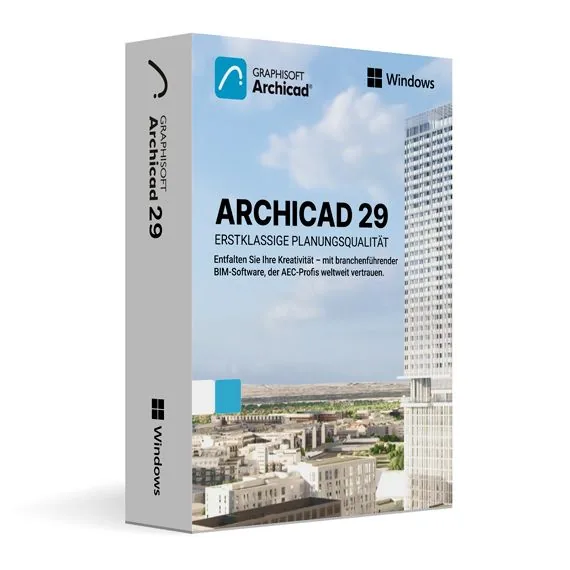
Graphisoft Archicad 29 for MacOS
133,98 €
Graphisoft Archicad 29 for macOS
En stock
Livraison par e-mail, généralement quelques minutes après le paiement
Fonctionnalités principales
Buy Graphisoft Archicad 29 for macOS License Key on SuperKeyStore: original product key, free technical support and a replacement-or-refund guarantee for faulty keys. 3D building modeling, automatic plans and sections, IFC exchange and team collaboration for architects on the Mac. Delivered by email, usually within minutes of payment.
Buy Graphisoft Archicad 29 for macOS
You get a Graphisoft Archicad 29 for macOS license key, the download link and activation steps by email. Graphisoft Archicad 29 for macOS is the 2025 release of Graphisoft’s BIM software for architects on macOS, used to model buildings in 3D and produce plans, sections and documentation. No box or DVD is shipped.
| Détail | Valeur |
|---|---|
| Produit | Graphisoft Archicad 29 for MacOS |
| Éditeur | Graphisoft |
| Catégorie | Archicad |
| Platform | macOS |
| Livraison | License key and download link by email |
What is Graphisoft Archicad 29?
Archicad 29 is building information modeling (BIM) software for architects and designers. Graphisoft develops Archicad, and version 29 is the 2025 release. You build a 3D model of the building, and the program derives drawings from it. This product is the macOS version and is available in English.
What are the main features of Archicad 29?
Archicad combines design, documentation and coordination in one model. Its main features are:
- 3D modeling: creates walls, slabs, roofs, stairs and other building elements.
- Documentation: generates floor plans, sections, elevations and schedules from the model.
- Automatic updates: changes in the model appear in all related drawings.
- OpenBIM and IFC: exchanges models with engineers who use other software.
- Teamwork: lets several architects work on the same project.
- Visualization: produces renderings for clients and presentations.
What is the difference between Archicad 29 for macOS and for Windows?
Both versions offer the same Archicad 29 tools, but each runs on a different operating system. This edition installs on a Mac. Offices with Windows PCs need Graphisoft Archicad 29 for Windows. Project files can be opened on both platforms, so mixed teams can share work.
Which Archicad versions can you choose?
Archicad 29 is the newest release in this category, and older versions remain available. The table lists the Mac versions:
| Version | Platform |
|---|---|
| Archicad 29 (this product) | macOS |
| Archicad 28 | macOS |
| Archicad 27 | macOS |
| Archicad 26 | macOS |
Choose an older version only when a project or a client requires it. All releases are listed in the Archicad category.
Why buy Graphisoft Archicad 29 for macOS from SuperKeyStore?
Buying Graphisoft Archicad 29 for macOS at SuperKeyStore includes:
- Original license: an original Graphisoft Archicad 29 for macOS license key, activated through Graphisoft’s official activation.
- Platform: macOS.
- Email delivery: the license key and the official download link arrive by email, usually within minutes of payment (some orders get a security check of up to 24 hours).
- Free technical support: our team helps by email with installation and activation ([email protected]).
- Remplacement ou remboursement : if the key does not work, you get a working key or your money back, as set out in our Politique de remboursement.
How do you redeem your Graphisoft Archicad 29 for macOS key?
You redeem the key in a few steps after the order email arrives. The redemption guide for Graphisoft Archicad 29 for macOS is:
- Open your order email: it contains your license details and activation instructions.
- Download Archicad 29 from the official Graphisoft website (graphisoft.com/downloads) or the link in your email.
- Install Archicad 29 and start it.
- Activate the license with your Graphisoft ID as described in the email.
Your key also stays in your order email and under Mon compte.
Configuration requise
| Système d’exploitation | Recent macOS version (see Graphisoft's list for your Archicad version) |
|---|---|
| Processeur | Apple silicon or 64-bit Intel with 4+ cores |
| Mémoire (RAM) | 16 GB (32 GB recommended) |
| Espace disque | 5 GB (10 GB or more free recommended) |
| Écran | 1440 x 900 or higher |
| Internet | Required for download and activation |
Téléchargement et activation
Download Graphisoft Archicad 29 for MacOS with SuperKeyStore
Buying Graphisoft Archicad 29 for MacOS takes a minute: add it to your cart, pay through our secure, encrypted checkout and you receive your product key and the official download link by email, usually within minutes. Everything you need is in your order email, together with these instructions.
How to install and activate Graphisoft Archicad 29 for MacOS
- Open your order email: it contains your license details and activation instructions.
- Download Archicad 29 from the official Graphisoft website (graphisoft.com/downloads) or the link in your email.
- Install Archicad 29 and start it.
- Activate the license with your Graphisoft ID as described in the email.
Stuck at any step? Email [email protected] with your order number and a screenshot. Our support is free, and if a key does not work we send a replacement or refund you, as set out in our Politique de remboursement.
Why choose Graphisoft Archicad 29 for MacOS
Archicad 29 is a BIM software for architects for architects, interior designers and architecture students. Highlights: Intuitive 3D BIM modeling with walls, slabs, roofs and stairs; Automatic floor plans, sections, elevations and schedules; Built-in rendering and visualization.
More software at SuperKeyStore
Popular with this product: Windows 11 Pro, Office 2024 Professional Plus, Microsoft 365 Personal. Browse all Microsoft Office, antivirus software, money-saving bundles et Microsoft apps.
Livraison numérique
All our products are delivered digitally by email: no shipping costs, no waiting for a parcel and no packaging waste. Your key is stored in your order email and, if you created one, in your account, so you can find it again at any time.
FAQ
What is an educational license?
It is a license for personal, non-commercial use such as learning, teaching and personal projects. Archicad 29 has the full functionality of the commercial version and the output is identical, without watermarks.
Can I use it for commercial work?
No. The educational license may not be used for paid or commercial projects. Contact us if you need a commercial license.
Which operating system does it run on?
This edition runs on macOS. It does not run on Windows; choose the matching edition for another system.
On how many computers can I use it?
The license is for 1 user. Contact us before buying if you need licenses for several people.
Where do I download the software?
From the official Graphisoft website or the official link in your order email. The Download & Activation tab explains every step.
Do I need an internet connection?
Yes, to download and activate the software.
Sous quel délai vais-je recevoir ma clé ?
By email, usually within minutes of payment. Some orders go through a short security check that can take up to 24 hours. Please check your spam folder too.
Que faire si ma clé ne fonctionne pas ?
Email us your order number and a screenshot of the error. We send a replacement or refund you, as described in our Politique de remboursement.
D’autres questions ? Consultez notre FAQ, Politique de remboursement ou contactez-nous.
- Assistance gratuitePar e-mail
- Livraison rapideGénéralement en quelques minutes
- Paiements sécurisésPaiement chiffré
- Licences numériquesActivation officielle
- Clé défectueuse ?Remplacement ou remboursement
Sélectionné pour vous
Tout voir Autodesk AutoCAD LT 2026 for Windows (Education)120,98 €+ Ajouter
 SketchUp Pro 2025 for 1 year Subscription Prix initial : 349,98 €.199,98 €Prix actuel : 199,98 €.+ Ajouter
 Autodesk Mudbox 2026 for MacOS (Education)120,98 €+ Ajouter
 Autodesk AutoCAD 2025 for Windows (Education)93,98 €+ Ajouter
 Autodesk Inventor Nesting 2024 for Windows (Education)66,98 €+ Ajouter
Avis
Il n’y a pas encore d’avis.