
Licences Windows Server et CAL
Windows Server licenses cover the Essentials, Standard and Datacenter editions, plus the client access licenses (CALs) that users and devices need to connect, RDS CALs, SQL Server and Exchange Server.
Browse Windows Server Licenses & CALs by type: Licences CAL Windows Server et CAL RDS, Licences Microsoft SQL Server, Licences Exchange & SharePoint Server.
- 2
- 3
- 4
Buy Windows Server Licenses & CALs at SuperKeyStore
Windows Server is Microsoft's operating system for file servers, domain controllers, application hosts and virtual machine hosts. It is used by IT departments, managed service providers and small companies that run their own infrastructure on premises. Besides the server licenses themselves, this category contains the client access licenses that users and devices need to connect.
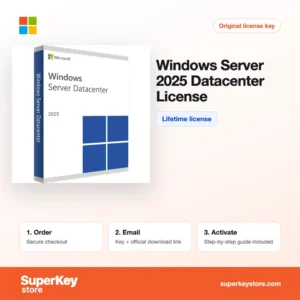
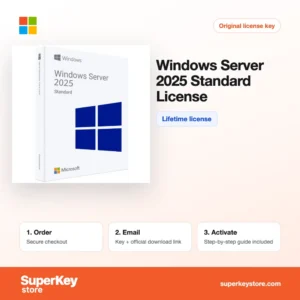
Frequently ordered items include Windows Server 2025 Standard, Windows Server 2025 Datacenter et Windows Server 2025 User CAL. Each order is fulfilled by email with the license key and a download link, usually within minutes.
Why buy a Windows Server license?
Windows Server provides the core services a business network depends on:
- Central identity with Active Directory: Manage users, passwords, group policies and computer settings for the whole organization from one place.
- Virtualization with Hyper-V: Standard includes rights for two virtual machines per license, while Datacenter allows unlimited virtual machines on the licensed host.
- File, print and backup services: Shared folders, DFS, permissions and Windows Server Backup keep company data in one controlled location.
- Remote Desktop Services: With RDS CALs, staff can run desktops and applications from the server from any location.
- Hybrid options: Windows Server 2025 adds hotpatching through Azure Arc and improved Active Directory features for mixed cloud and on-premises setups.
What are the main features of Windows Server?
The server editions share a set of roles you can switch on as your network grows:
1. Active Directory Domain Services
Domain controllers store users, groups and computers and apply Group Policy across the network. Administrators manage hundreds of PCs from one console instead of one by one.
2. Hyper-V virtualization
Hyper-V runs several virtual servers on one physical machine, each with its own operating system. Companies reduce hardware costs and can move workloads between hosts.
3. Storage Spaces and file services
Storage Spaces pools disks into resilient volumes, and file services provide shares with permissions and shadow copies. Users get reliable network drives with previous versions of their files.
4. Remote Desktop Services
RDS publishes full desktops or single applications to users over the network. Staff working from home can use central business software without local installs.
5. Security hardening
Secured-core server support, Credential Guard and SMB encryption protect the server and its data. Businesses with compliance needs gain stronger defaults.
6. Windows Admin Center
The browser-based Windows Admin Center manages servers, clusters and Hyper-V hosts. Smaller IT teams can work without many separate tools.
Which Windows Server product is right for you?
Essentials suits very small businesses, Standard fits most companies with physical or lightly virtualised servers, and Datacenter is for hosts running many virtual machines. Standard and Datacenter are licensed per core, with a minimum of 16 cores per server.
| Produit | Best for | Licensing | Virtual machines |
|---|---|---|---|
| Windows Server 2025 Essentials | Small businesses | Up to 25 users and 50 devices, no CALs needed | One physical or virtual instance |
| Windows Server 2025 Standard (16 Core) | General business servers | Per core, plus CALs | 2 per license |
| Windows Server 2025 Datacenter | Heavily virtualised hosts | Per core, plus CALs | Unlimited |
| Windows Server 2022 Datacenter 2-Core Add-On | Servers with more than 16 cores | Additional 2 cores | Follows the base license |
| Windows Server 2025 RDS User CAL (1 user) | Remote desktop access | 1 utilisateur | Not applicable |
What are the system requirements for Windows Server?
Windows Server 2025 needs a 64-bit processor of at least 1.4 GHz, 2 GB of RAM for the Desktop Experience and 32 GB of disk space; check each product's System Requirements tab for older versions.
| Composant | Minimum for Windows Server 2025 |
|---|---|
| Système d’exploitation | Installed directly on server hardware or in a supported hypervisor |
| Processeur | 1.4 GHz 64-bit processor compatible with the x64 instruction set, with NX, DEP, SSE4.2 and POPCNT support |
| Mémoire (RAM) | 512 MB for Server Core, 2 GB for Desktop Experience; ECC memory recommended |
| Espace disque | 32 GB minimum; more for roles, updates and data |
| Other | Gigabit Ethernet adapter; TPM 2.0 and Secure Boot for certain security features; internet for activation |
How do you download and activate Windows Server?
- Order: Choose the edition, version and the number of CALs you need, then pay.
- Email: The license key and download link usually arrive within minutes; if a security check applies, delivery can take up to 24 hours.
- Download: Obtain the ISO image from Microsoft's official website and install it on your hardware or hypervisor.
- Activate: Open Settings, choose Activation, enter the product key and confirm. CALs are recorded in the Remote Desktop licensing manager or kept on file for audits.
What happens to my Windows Server license if I reinstall or format my computer?
A Windows Server license stays valid after a reinstall on the same hardware. Install the same edition, enter the product key and activate online or by phone. CALs are not entered into the server, so they are unaffected; keep your purchase records for them.
Can I move a Windows Server license to a new PC or Mac?
Retail-type licenses can be reassigned to new server hardware; Microsoft's terms generally limit this to once every 90 days except after hardware failure. OEM licenses stay with the original server. Windows Server does not run natively on a Mac, and CALs can be reassigned to another user or device under the same rules.
What if my Windows Server key does not work?
Send our support team the order number and a screenshot of the activation result. We supply a replacement key or a refund according to the Politique de remboursement.
Frequently asked questions about Windows Server
Do I need CALs for Windows Server?
Yes, Standard and Datacenter require a Windows Server CAL for each user or device that accesses the server. Essentials is the exception and needs no CALs.
User CAL or Device CAL: which should I buy?
Buy user CALs when people use several devices, and device CALs such as the Windows Server 2022 Device CAL when several shift workers share one computer.
Is an RDS CAL the same as a Windows Server CAL?
No, an RDS CAL is needed in addition to the normal CAL for each user of Remote Desktop Services. Both must match or exceed the server version.
What happens if my server has more than 16 cores?
You license the extra cores with core add-on packs. All physical cores must be licensed.
Can I downgrade to an older version?
Microsoft license terms allow running an earlier version with a newer license in many cases. If you need the older version itself, keys for 2016, 2019 and 2022 are also available.
Which Windows Server version should I choose?
Choose 2025 for new installations, since it has the longest support period. Pick an older version only if an application requires it.
How many virtual machines can I run with Windows Server Standard?
Each fully licensed Standard server allows two virtual machines. License all cores again to add two more.
Do I need a Windows Server CAL for Exchange or SQL Server users?
Yes, users of Exchange or SQL Server on Windows Server need a Windows Server CAL as well as the CAL for the application. Core CAL Suite and Enterprise CAL Suite bundle several of these.
Can Windows Server Essentials grow with my company?
Essentials is limited to 25 users and 50 devices. Beyond that, move to Standard with CALs.
Browse Windows Server Licenses & CALs by type
Narrow your search by product family: Licences CAL Windows Server et CAL RDS for user, device and remote desktop access, Licences Microsoft SQL Server for databases, and Licences Exchange & SharePoint Server for mail and collaboration servers.
For the workstations in your network, see Licences Windows, Licences Microsoft Office et Licences antivirus.
Que recevez-vous en achetant des licences Windows Server et CAL chez SuperKeyStore ?
Vous recevez un e-mail contenant votre clé de licence, le lien de téléchargement officiel et les instructions d’activation étape par étape. Chaque commande comprend :
- Clé de licence : la clé de produit correspondant à l’édition, à la durée et au nombre d’appareils indiqués sur la fiche produit.
- Téléchargement officiel : un lien vers le programme d’installation sur le site de l’éditeur.
- Guide d’activation : les étapes d’installation et d’activation du logiciel, également présentées dans l’onglet « Téléchargement et activation ».
- Historique des commandes : la clé reste disponible dans votre e-mail de confirmation et dans Mon compte.
- Assistance par e-mail : de l’aide à l’installation ou à l’activation par notre équipe d’assistance.
Pourquoi acheter vos licences logicielles chez SuperKeyStore ?
SuperKeyStore vend des clés de licence numériques livrées par e-mail, avec un paiement sécurisé et des règles claires en cas de clé défectueuse. Voici les principales raisons de commander chez nous :
- Livraison numérique : aucun envoi postal ; la clé arrive généralement par e-mail quelques minutes après le paiement, et certaines commandes font l’objet d’un contrôle de sécurité pouvant durer jusqu’à 24 heures.
- Des informations claires : chaque fiche produit indique l’édition, la plateforme, la durée de licence et le nombre d’appareils.
- Remplacement ou remboursement : si une clé ne fonctionne pas, vous recevez une clé fonctionnelle ou vous êtes remboursé, conformément à la Politique de remboursement.
- Paiement sécurisé : les paiements sont traités par le prestataire de paiement ; SuperKeyStore ne conserve pas vos coordonnées bancaires complètes.
Autres licences logicielles du catalogue SuperKeyStore
SuperKeyStore vend également des licences dans ces catégories :
- Licences Windows: Licences Windows 11 · Licences Windows 10
- Licences Microsoft Office: Licences Office 2024 · Licences Microsoft Office pour Mac · Licences Microsoft Word, Excel et applications Office · Licences Microsoft Project · Licences Microsoft Visio
- Licences Microsoft 365
- Licences antivirus: Licences antivirus Norton · Licences antivirus McAfee · Licences antivirus Kaspersky · Licences antivirus Bitdefender · Licences antivirus ESET · Licences antivirus Avast · Licences antivirus AVG · Licences antivirus Panda · Licences VPN · Licences de sécurité pour entreprises
- Licences Windows Server et CAL: Licences CAL Windows Server et CAL RDS · Licences Microsoft SQL Server · Licences Exchange & SharePoint Server
- Licences de logiciels de CAO et 3D: Licences logicielles Autodesk · Licences Graphisoft Archicad · Licences SolidWORKS
- Licences de logiciels de graphisme et de photo: Licences logicielles Adobe · Licences CorelDRAW
- Licences PDF et outils bureautiques
- Licences de logiciels de sauvegarde et de récupération de données
- Licences de logiciels vidéo et musique
- Licences de logiciels de virtualisation
- Packs Office et Windows